
FEATURE / ATTENDANCE & LEAVE
A better attendance record.
A fairer starting point.
Attendance should reflect your work schedule, not just whether a person appeared in a tracking record. Bring working days, approved leave, holidays and corrections into the same review.
Start with the company’s working calendar
A company’s weekly off days should not become unexplained absences. Configure the working calendar and schedules before relying on monthly attendance. Review how company time zones and overnight sessions map to a workday. These choices form the foundation of the report. Once they are agreed, the monthly view can provide a consistent place to inspect each employee’s records rather than rebuilding the month from screenshots.
Record leave and holidays alongside attendance
Approved leave and holidays explain why a person may not have recorded working time on a scheduled date. Keep those entries in the system so the attendance view has context. When a leave record changes, review the affected day again. This makes the distinction between time away and an unexplained missing workday easier for managers to follow. It also keeps the conversation focused on a documented record instead of an assumption.
Correct a day with a reason
Sometimes an employee forgets to clock in or a tracker stops during a shift. A manager should investigate the circumstances and use a time correction when appropriate. Record why the adjustment was made so the corrected figures can be understood later. A correction changes the attendance record; it does not generate missing activity or screenshots. Keep that distinction clear when discussing a day with the employee or another reviewer.
Use monthly views and exports together
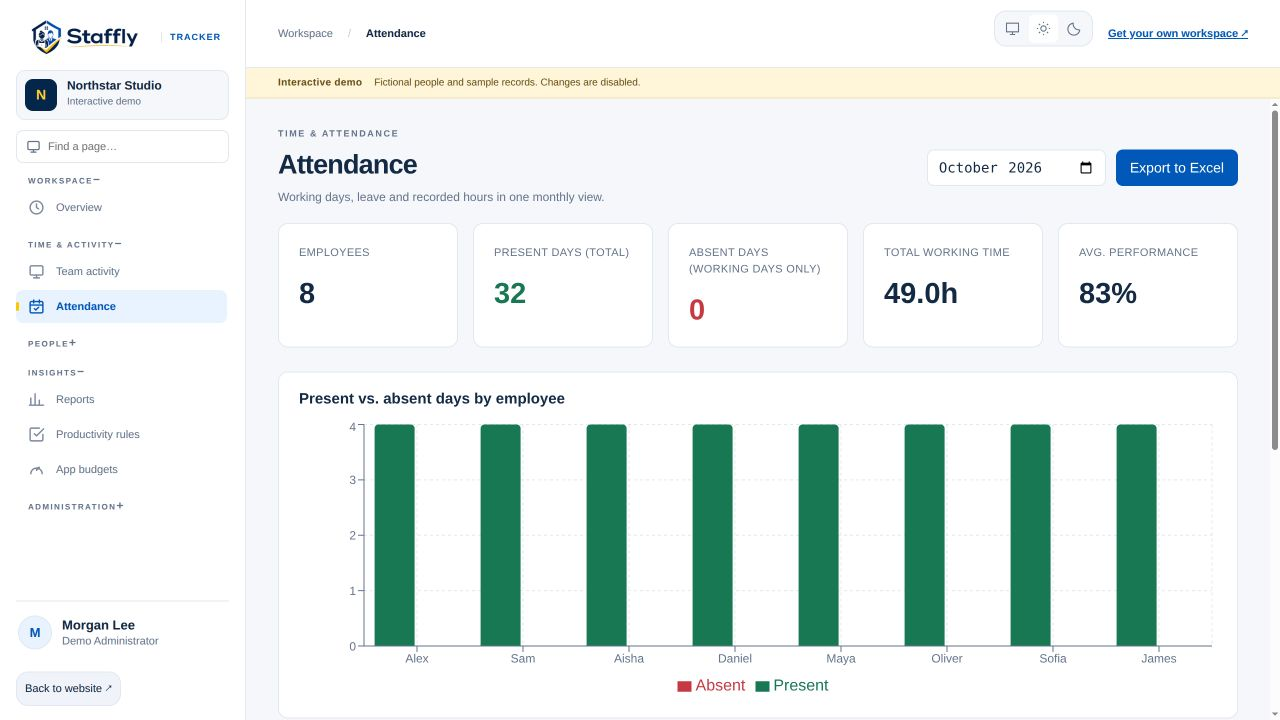
The attendance page provides a monthly overview and links to each employee’s detailed record. Export the workbook when you need to review hours outside the application or prepare a separate business process. Check the report period, displayed time zone and meaning of each column before combining data. Worked time, breaks and idle periods have different definitions, and adding overlapping categories can count the same interval twice.
Keep pay decisions grounded in reviewed records
Recorded hours are an input to a pay process, not a substitute for your company’s rules. Review corrections, leave treatment, overtime policy and incomplete coverage before using exported data. StafflyTracker helps organise the underlying information, while your team remains responsible for verifying the final totals. During a demo, walk through a representative employee day and an exception case so you can assess how the records fit your workflow.
THE DETAILS MATTER
Your questions,
answered.
Are weekends always counted as absences?
Attendance follows the configured working calendar. Weekly off days should be configured as non-working days so they are not treated as unexplained absences.
Can we export attendance?
Yes. Administrators can export an attendance workbook for a selected month. Confirm time zone and column meanings before using the sheet in another process.
Can a time correction restore missing screenshots?
No. Time corrections adjust the attendance record with a reason. They cannot reconstruct screen captures or activity that the tracker did not collect.
LET’S MAKE WORK A LITTLE CLEARER
Your next chapter
starts with a conversation.
Show us how your team works. We’ll show you where StafflyTracker fits.