
PRACTICAL GUIDE · FIELD NOTES
App Time Budgets Without Blanket Bans
Set application time budgets around real tasks and review overages with context. Includes department examples, coverage checks and a pilot approach.
StafflyTracker editorial · Product by Syed Toheed Shah

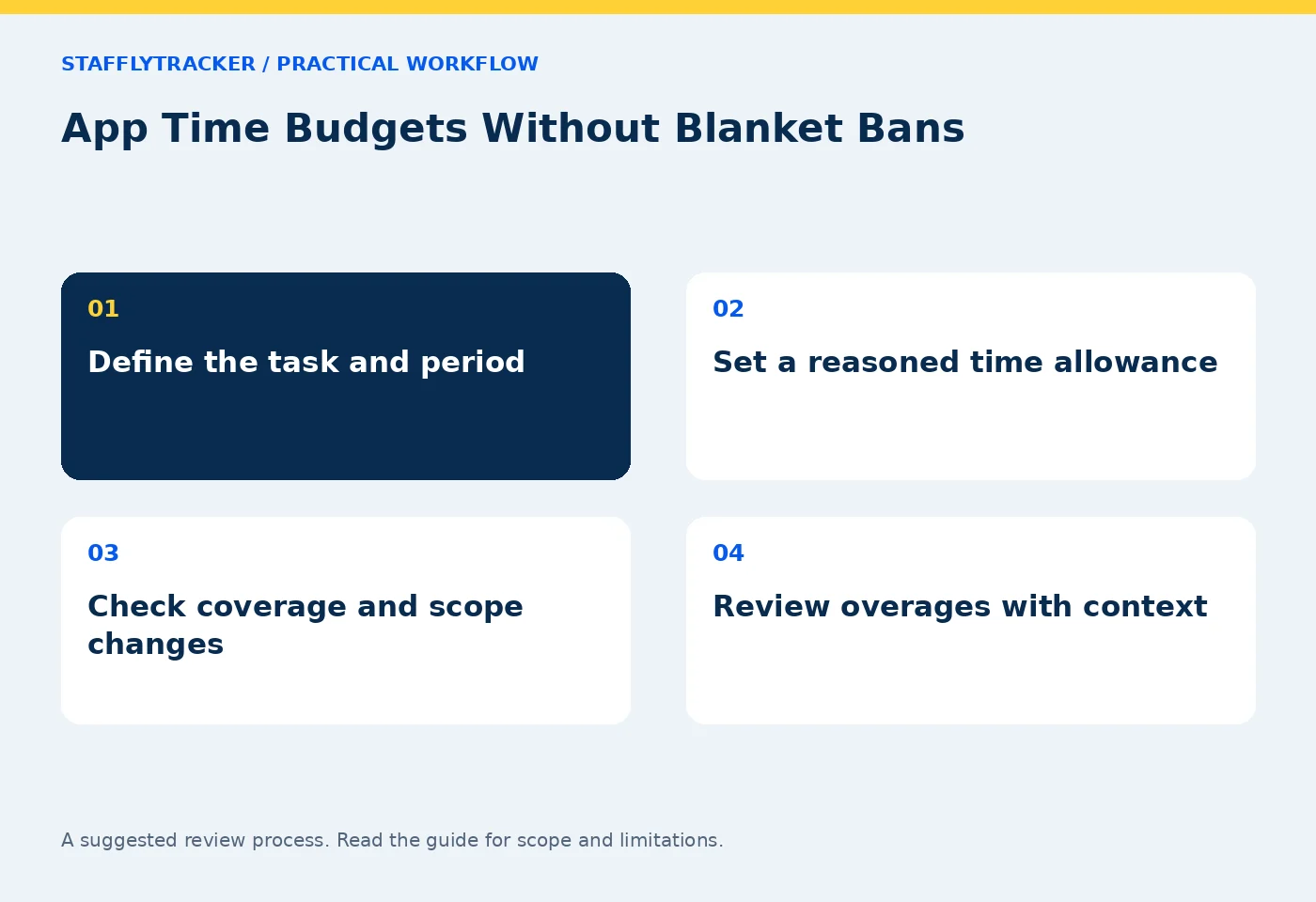
An application time budget is an agreed amount of time for a defined purpose and period. It is most useful as a review signal: a reason to ask what changed. It should not automatically turn every minute above a threshold into misconduct or unpaid work.
A marketing employee researching a campaign and a billing employee doing routine verification may need different tools. Begin with the role and assignment, then decide whether a budget helps the conversation.
State the purpose before the number
“Two hours of campaign research this week” is more meaningful than “two hours on social media.” The first statement identifies an intended activity; the second groups together research, publishing, customer replies and unrelated browsing.
Write the application or site, department, period, expected task and review owner. If the evidence cannot distinguish the task reliably, say so. A browser window title is context, not a complete record of the business purpose.
Use the department rulebook to keep classification and budget decisions aligned. A productive category is not an unlimited allowance, and an uncategorized tool is not automatically prohibited.
Choose a budget people can explain
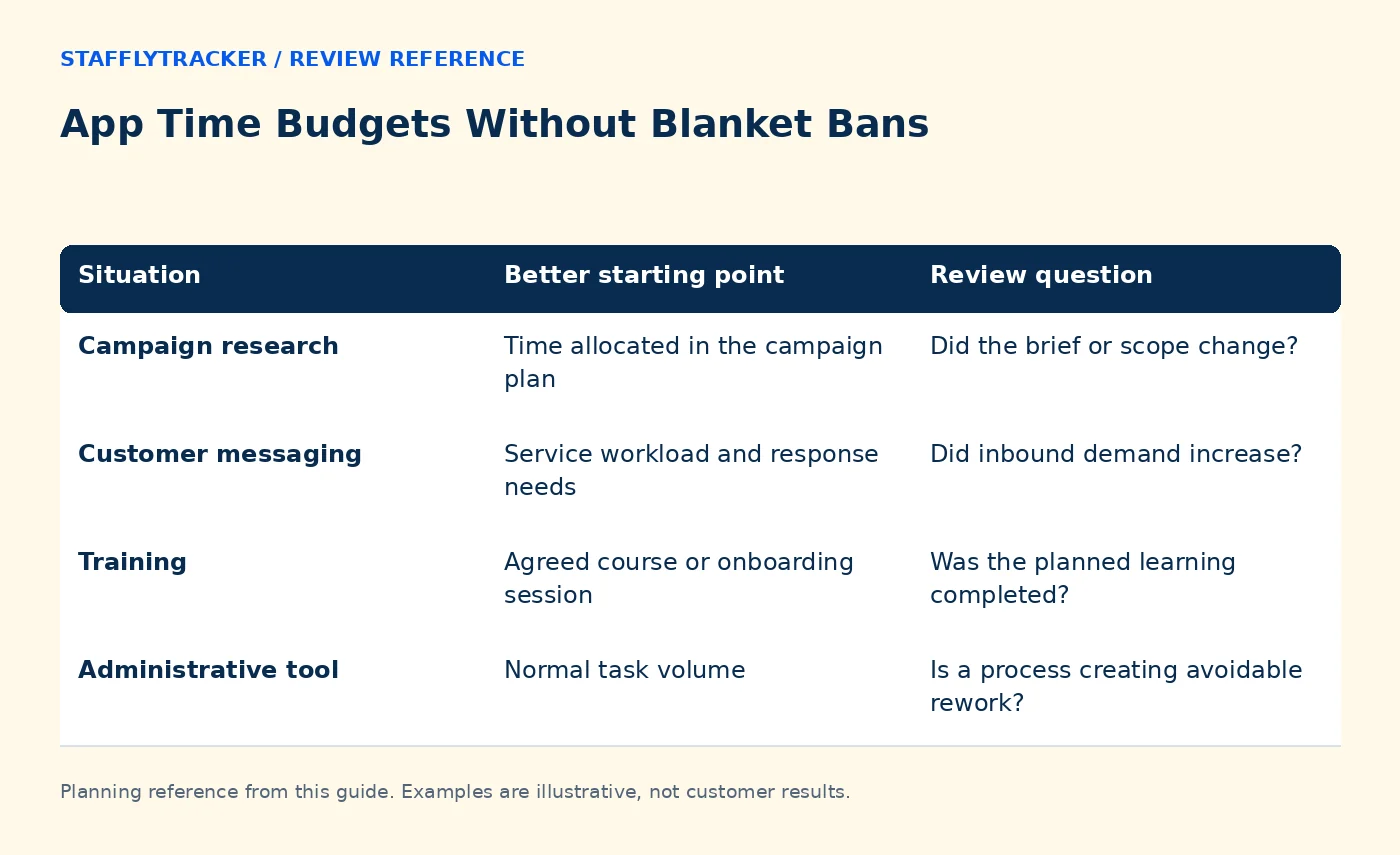
| Situation | Better starting point | Review question |
|---|---|---|
| Campaign research | Time allocated in the campaign plan | Did the brief or scope change? |
| Customer messaging | Service workload and response needs | Did inbound demand increase? |
| Training | Agreed course or onboarding session | Was the planned learning completed? |
| Administrative tool | Normal task volume | Is a process creating avoidable rework? |
Avoid setting a number solely because another employee has a lower total. Different assignments can create legitimate differences. Start with a documented estimate and revise it after observing the actual workflow.
Separate reporting from enforcement
A budget report and an application blocker are different capabilities. Do not assume that a threshold automatically stops access, closes an application or deducts pay. Confirm the current product behavior in a demonstration.
Likewise, a weekly overage should not erase the underlying attendance record. If a manager needs to address policy compliance, preserve the distinction between time recorded, context gathered and the eventual company decision.
StafflyTracker supports application categorization and budget review workflows; check productivity features and current availability for the controls relevant to your workspace.
Work through a fictional overage
A marketing team budgets two hours for platform research. One employee records three hours during a product launch. The manager asks whether the extra hour involved competitor research, customer questions or an unrelated activity.
The answer may reveal a legitimate scope change, an inefficient process or a policy concern. The number alone cannot choose between them. If the launch created a recurring support task, revise the plan rather than repeatedly flagging predictable work.
For a billing team using the same site without an assigned purpose, the conversation may be different. That is why departmental context matters. Neither case should be decided by a generic “social media equals bad” rule.
Check the reporting period and coverage
A weekly total needs a defined week and timezone. A shift crossing midnight should not create a confusing split between the attendance period and the application report. Check how the current interface groups the records before comparing totals.
Missing tracker coverage also affects interpretation. An unusually low app total may reflect a recording gap rather than efficient work. Review the coverage and device context before praising or criticizing the number.
When a rule or department assignment changes, record the change date. Verify how historical data is classified before using a new rule to judge an older period.
Keep the review proportionate
Use a short exception list instead of asking managers to inspect every application every day. Prioritize large, repeated or unexplained deviations that relate to a real business concern. Keep a way for employees to supply context.
During a pilot, check whether budget alerts lead to useful decisions. If they repeatedly flag normal duties, adjust the rule or remove the budget. A noisy threshold creates work without improving understanding.
Common questions
Does exceeding a budget mean wasted time?
No. It means the recorded amount exceeded an agreed expectation. Scope, workload and data quality need review.
Can budgets differ by department?
They should reflect the work. Verify the available assignment controls in the current product and document any company process outside the interface.
How should we test this?
Bring one mixed-use application and two different department scenarios to the demo. Ask to see the rule, period and resulting report together.
KEEP EXPLORING
Make the next decision clearer.
A Software Inventory Review Checklist Time Tracking for Accounting Firms Employee Time Tracking Buyer’s ChecklistSEE THE WORKFLOW
Bring your questions.
Try the actual interface.
Explore fictional records, then discuss the requirements that matter to your team. Email required; phone optional.
AI-assisted editorial content and original illustrations. Examples are illustrative, not customer results. Editorial policy · Current product availability · Read as Markdown