
PRACTICAL GUIDE · FIELD NOTES
How to Compare Time Tracking Demos
Compare time tracking demos using five consistent scenarios, an honest evidence scorecard, access checks and total-cost questions.
StafflyTracker editorial · Product by Syed Toheed Shah

Compare time tracking demos by asking every vendor to work through the same scenarios. A polished dashboard is useful, but a buying decision also needs to show how the product handles missing data, corrections, permissions and the operating systems your team uses.
Bring a short scorecard and record what was demonstrated separately from what was described. This makes a comparison with Time Doctor or another established provider more useful than a broad list of checkmarks.
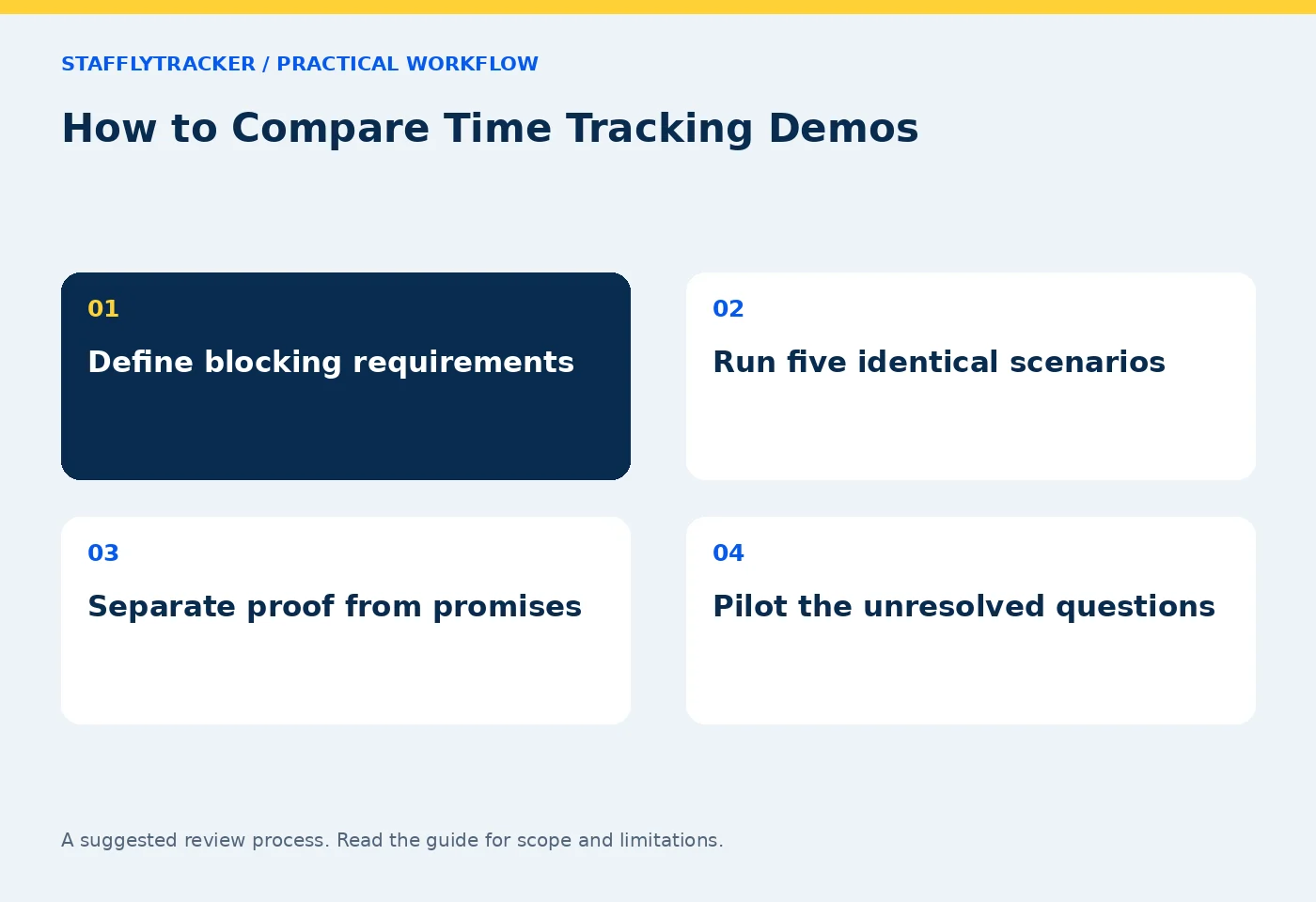
Define the decision before the meeting
List the people who will record time, the managers who will review it and the person preparing payroll or exports. Note the device mix, shift pattern and information that could appear on screen.
Choose a few requirements that would block adoption if absent. Native recording support for your operating system, a required access boundary or a particular export may matter more than a visually impressive chart.
Use the buyer's checklist to prepare questions. Avoid asking only “Do you have productivity tracking?” because vendors can use that phrase for different calculations and workflows.
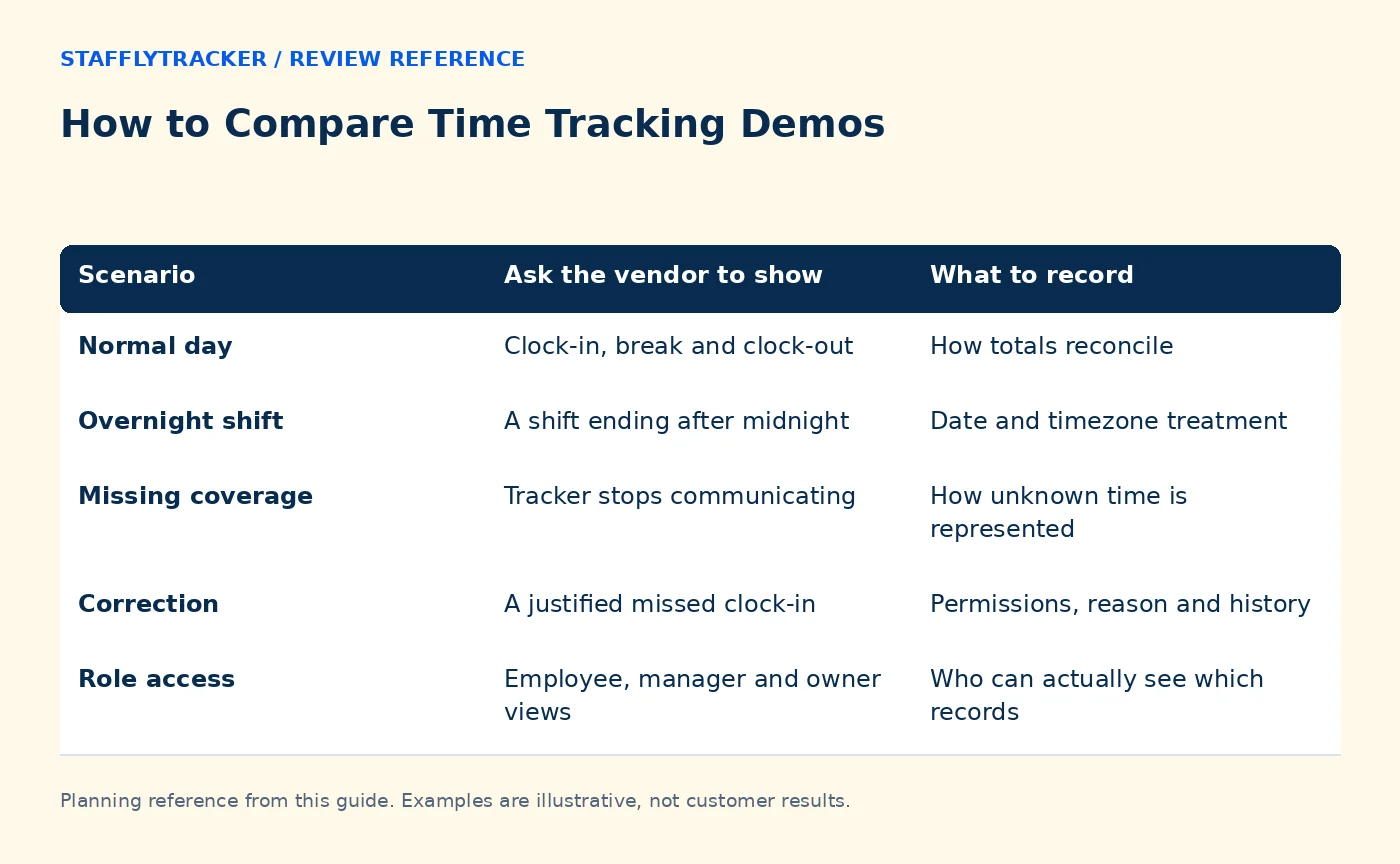
Run five consistent scenarios
| Scenario | Ask the vendor to show | What to record |
|---|---|---|
| Normal day | Clock-in, break and clock-out | How totals reconcile |
| Overnight shift | A shift ending after midnight | Date and timezone treatment |
| Missing coverage | Tracker stops communicating | How unknown time is represented |
| Correction | A justified missed clock-in | Permissions, reason and history |
| Role access | Employee, manager and owner views | Who can actually see which records |
A public demo may not allow every mutation. In that case, mark the item as documented or not demonstrated and arrange an approved pilot. Do not count a fictional read-only screen as proof of a workflow you could not test.
Ask what each metric means
Request the definition of active, idle, productive and worked time. Ask whether idle is included in worked time and how missing coverage affects the denominator. A percentage is only comparable if its calculation and scope are understood.
Then present a call-heavy or reading-heavy example. Ask how a quiet screen is interpreted and whether supported call behavior has limits. Do not assume all meeting platforms are recognized automatically.
For software review, ask the vendor to distinguish installed applications, historical launches and current activity. These evidence types answer different questions.
Compare access and collection clearly
Ask which roles can review screenshots and whether manager visibility is company-wide or restricted to assigned teams. A department feature may control classification without controlling access.
Review capture settings, retention and storage limits. Ask how capacity or connectivity problems appear in the interface. Also ask what the employee is told and how an inaccurate record can be challenged.
For StafflyTracker, consult administrator visibility and product availability. For Time Doctor, use its current official features and pricing pages as references, then confirm the plan-specific behavior during the demonstration.
Use an honest scoring scale
Mark each requirement as demonstrated, documented but untested, unavailable or unclear. Add a short note explaining the result. Do not turn “the salesperson said it is planned” into a current feature checkmark.
A weighted score can help if the weights reflect your real needs. Keep a blocking requirement separate: a high average cannot compensate for a missing mandatory capability. Record the date and product version when relevant, because software changes.
Avoid comparing one vendor's premium plan with another's entry plan without noting the difference. Price and scope should refer to the same proposed purchase.
Finish with a pilot and cost check
Ask for the next test that would resolve each important uncertainty. A two-week pilot can validate installation, restart behavior and your actual shift pattern. Use approved sample data rather than exposing customer records just to make the demo realistic.
Then compare subscription cost, minimum seats, billing commitment and internal review effort with the total cost guide. Keep claims of savings separate from measured results in your own workflow.
Common questions
Is the best-looking demo the best product?
Visual clarity matters, but it should support the required decisions. Test exception handling and limits as well as the normal dashboard.
Should we ask for a competitor comparison table?
Yes, but verify important claims through current official sources and your own test. Vendor-authored comparisons have a commercial perspective.
How does StafflyTracker's public demo work?
The demo request asks for email, with phone optional, and provides a fictional-data experience. It does not expose a customer's live workspace.
KEEP EXPLORING
Make the next decision clearer.
Leave, Holidays and Attendance Exceptions Time Tracking for Education Administrators Employee Time Tracking Buyer’s ChecklistSEE THE WORKFLOW
Bring your questions.
Try the actual interface.
Explore fictional records, then discuss the requirements that matter to your team. Email required; phone optional.
AI-assisted editorial content and original illustrations. Examples are illustrative, not customer results. Editorial policy · Current product availability · Read as Markdown