
INDUSTRY GUIDE · FIELD NOTES
Time Tracking for Education Administrators
Plan attendance tracking for education administration with office calendars, leave, call work and clear boundaries around student information.
StafflyTracker editorial · Product by Syed Toheed Shah

Time tracking for education administration should clarify office attendance and work coverage without extending desktop monitoring to students or treating every quiet interval as wasted time. StafflyTracker supports employee work sessions on Windows computers and browser-based review for administrators. It is not a student information system or a classroom attendance platform.
Keep the scope on office work
Admissions, scheduling, finance and general administration have different rhythms. One coordinator may answer calls while another processes forms or checks a timetable. Define the employee roles included in the rollout and the specific attendance question you need to answer.
Do not extend a staff-tracking pilot to student devices or classroom screens simply because the software can capture a desktop. Keep the evaluation focused on the authorized office workflow and use fictional records. Student and family information requires a deliberate handling decision by the institution.
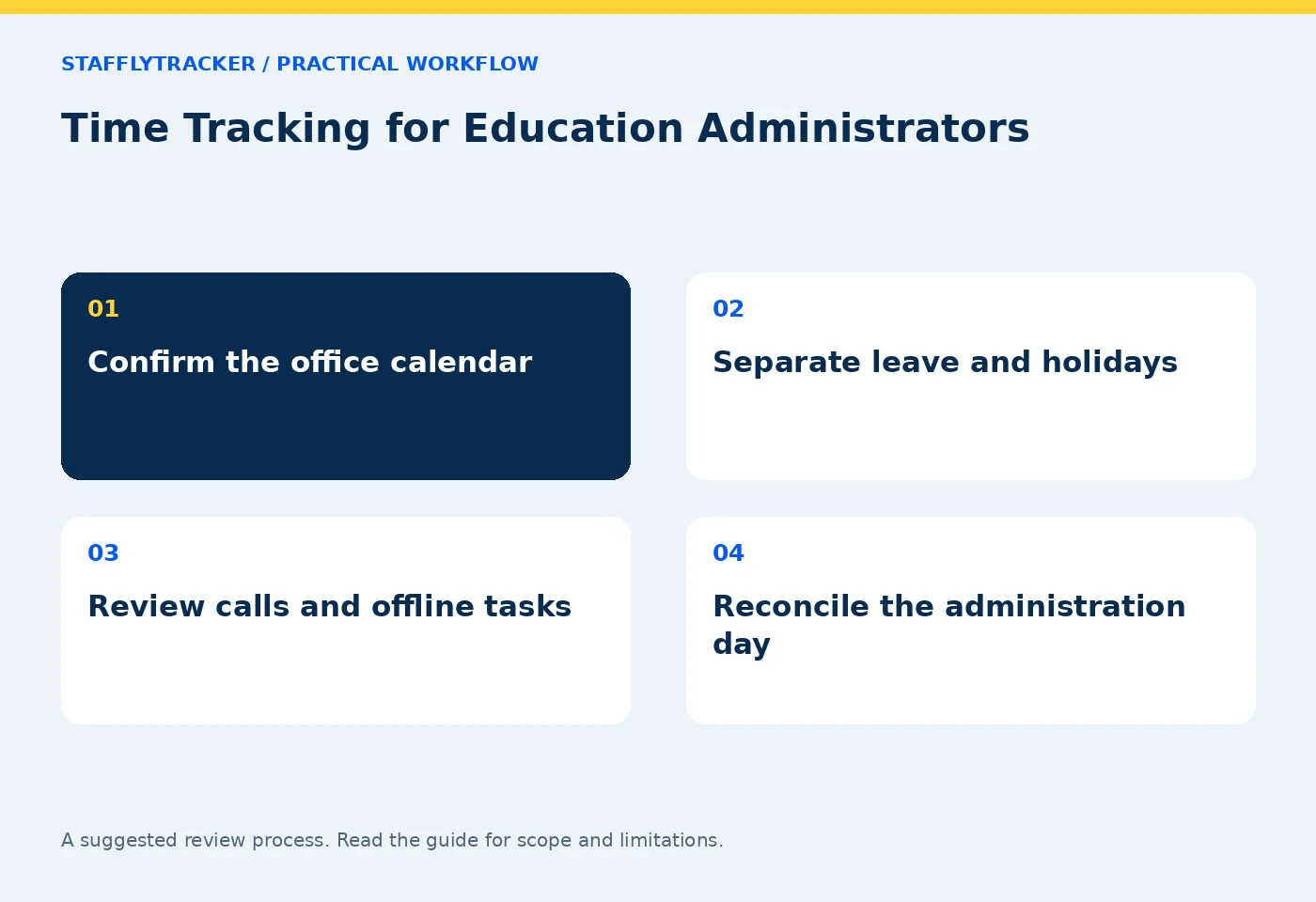
Plan around the actual working calendar
Education offices often have term-time peaks, holidays and special opening days. Confirm which dates are working days for the administrative team rather than assuming the teaching calendar is identical. Record approved leave and holidays before using an absence count in a management discussion.
Review attendance and timezones with the person responsible for attendance approval. A regional office supporting another timezone may need different display and workday conventions. Test an example instead of relying on a label alone.
Match categories to each administrative role
An admissions team may use messaging and meeting tools throughout the day. Finance may use ledgers and spreadsheets. Communications staff may legitimately use social channels. Use department-specific classification rather than one institution-wide definition of productive software.
A category describes the rule applied to observed application context. It does not establish that an admissions decision was correct or a fee record was accurate. Keep those outcomes in the appropriate institutional workflow.
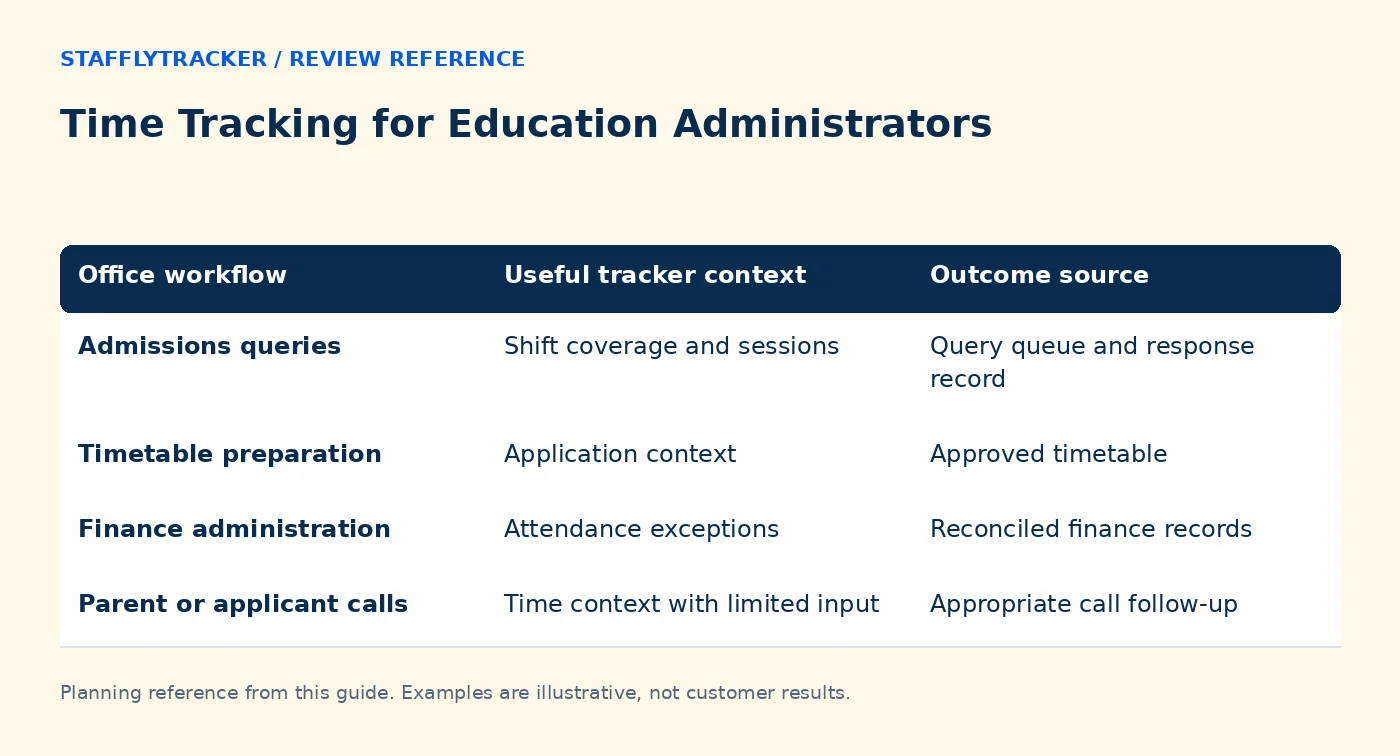
| Office workflow | Useful tracker context | Outcome source |
|---|---|---|
| Admissions queries | Shift coverage and sessions | Query queue and response record |
| Timetable preparation | Application context | Approved timetable |
| Finance administration | Attendance exceptions | Reconciled finance records |
| Parent or applicant calls | Time context with limited input | Appropriate call follow-up |
Example: the admissions phone desk
A fictional coordinator spends forty minutes answering calls while a browser form remains open. A low input rate is not proof of absence. Review the planned phone-desk assignment and the appropriate follow-up record rather than requiring constant typing.
If the tracker disconnected during the same interval, record that separately. The explanation of the work and the technical availability of telemetry are different questions. Combining them into a single productivity percentage loses useful information.
Make collection understandable
Before deployment, explain when the tracker operates, which records administrators can see and how staff can report errors. Use admin visibility and the monitoring notice guide to build a clear internal explanation.
Review screenshots using sample data before enabling them around institutional records. Set retention and access deliberately. StafflyTracker managers currently have company-wide review access, so departments do not isolate admissions from finance or other sensitive administrative groups.
Test during a representative week
Include an ordinary office day and a busy admissions or timetable period. Test clock-in, breaks, clock-out, a restart and a temporary connection interruption. Ask the attendance approver to reconcile a sample day manually, including leave and an approved correction.
Keep a short issue log: what happened, which record was affected, how it was resolved and who approved the change. An issue log helps distinguish training problems from software limitations before the institution relies on the output.
Avoid unsupported expectations
StafflyTracker does not provide a native student-information integration, classroom attendance or a mobile employee recorder. It currently records on Windows 10/11 x64. Browser dashboard access on another platform does not change that recording requirement.
Compare those limits with Time Doctor and any other shortlisted product using the same administrative scenarios. Ask vendors about the controls and integrations your institution actually needs. Review product availability and pricing before activation.
Common questions
Can this track student attendance?
That is outside the described product use. StafflyTracker is an employee time and activity review tool, not a classroom register.
Should office holidays count as absence?
Review the agreed administrative calendar, holidays and leave first. An off day is not an unexplained absence.
How can we evaluate it safely?
Use the fictional demo and sample institutional records during a pilot. Keep real student and family information out of a demonstration.
KEEP EXPLORING
Make the next decision clearer.
Time Tracking for Insurance Operations A Two-Week Time Tracking Pilot Plan Employee Time Tracking Buyer’s ChecklistSEE THE WORKFLOW
Bring your questions.
Try the actual interface.
Explore fictional records, then discuss the requirements that matter to your team. Email required; phone optional.
AI-assisted editorial content and original illustrations. Examples are illustrative, not customer results. Editorial policy · Current product availability · Read as Markdown