
PRACTICAL GUIDE · FIELD NOTES
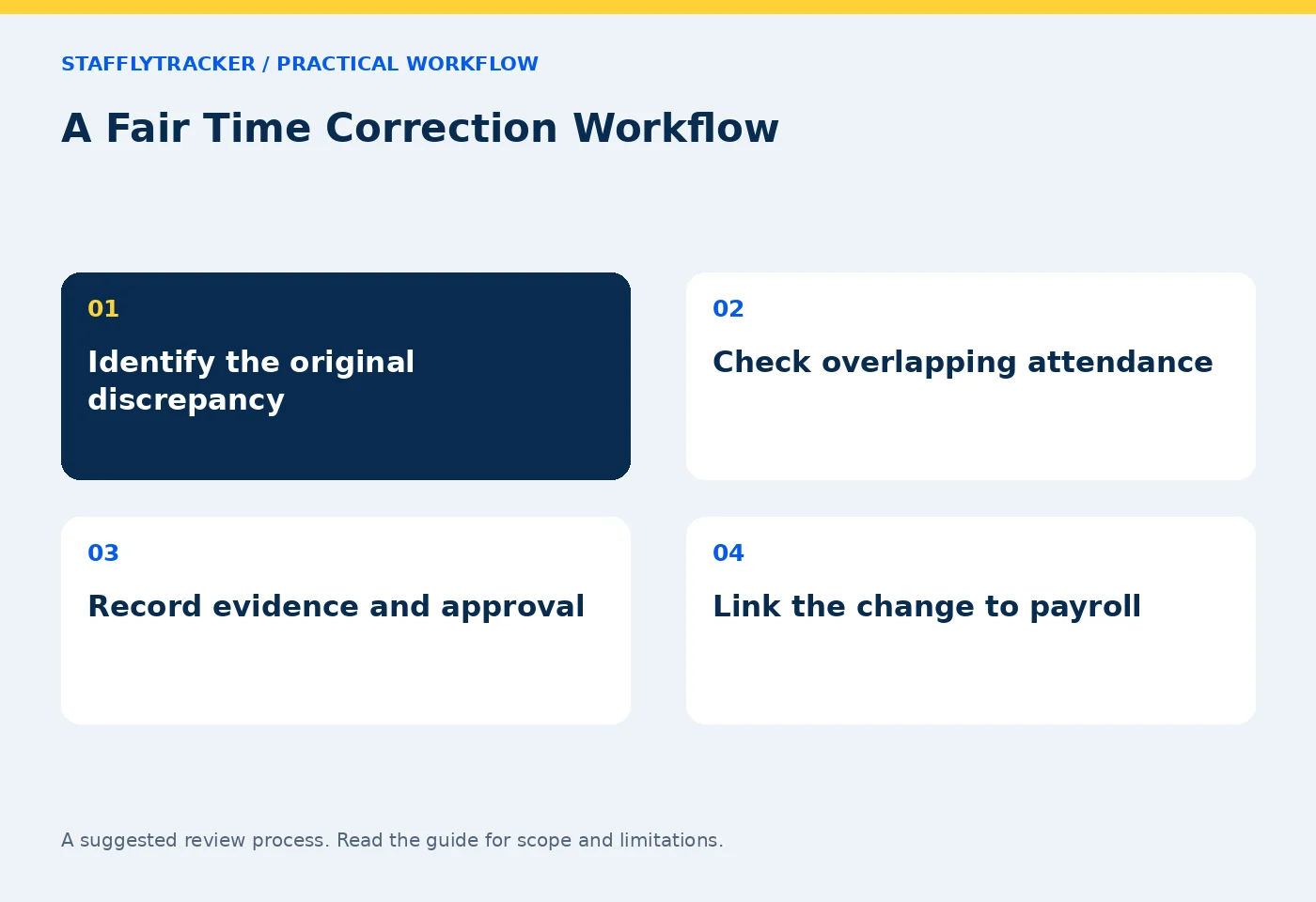
A Fair Time Correction Workflow
Create a fair time correction process with original records, clear reasons, approval context and a traceable connection to payroll exports.
StafflyTracker editorial · Product by Syed Toheed Shah

A fair time correction workflow preserves the original record, states what is wrong, records the approved adjustment and explains why it was made. The purpose is to fix an attendance or pay-related error without making the history impossible to understand.
Missed clock-outs, tracker failures and approved offline work can all require review. A correction should resolve a specific discrepancy. It should not be a hidden way to turn an uncomfortable productivity score into a preferred number.
Distinguish the kinds of error
Start by identifying whether the issue concerns attendance duration, a break, missing coverage, a date assignment or the interpretation of activity. These are not interchangeable.
For example, a 20-minute monitoring gap does not automatically mean 20 minutes should be added to worked time. The attendance session may already include those minutes. Adding them again would double count the period. Equally, a confirmed missed clock-in may require an approved adjustment even though no tracker evidence exists for the start.
Use the attendance reconciliation checklist to establish the original arithmetic before proposing a correction.
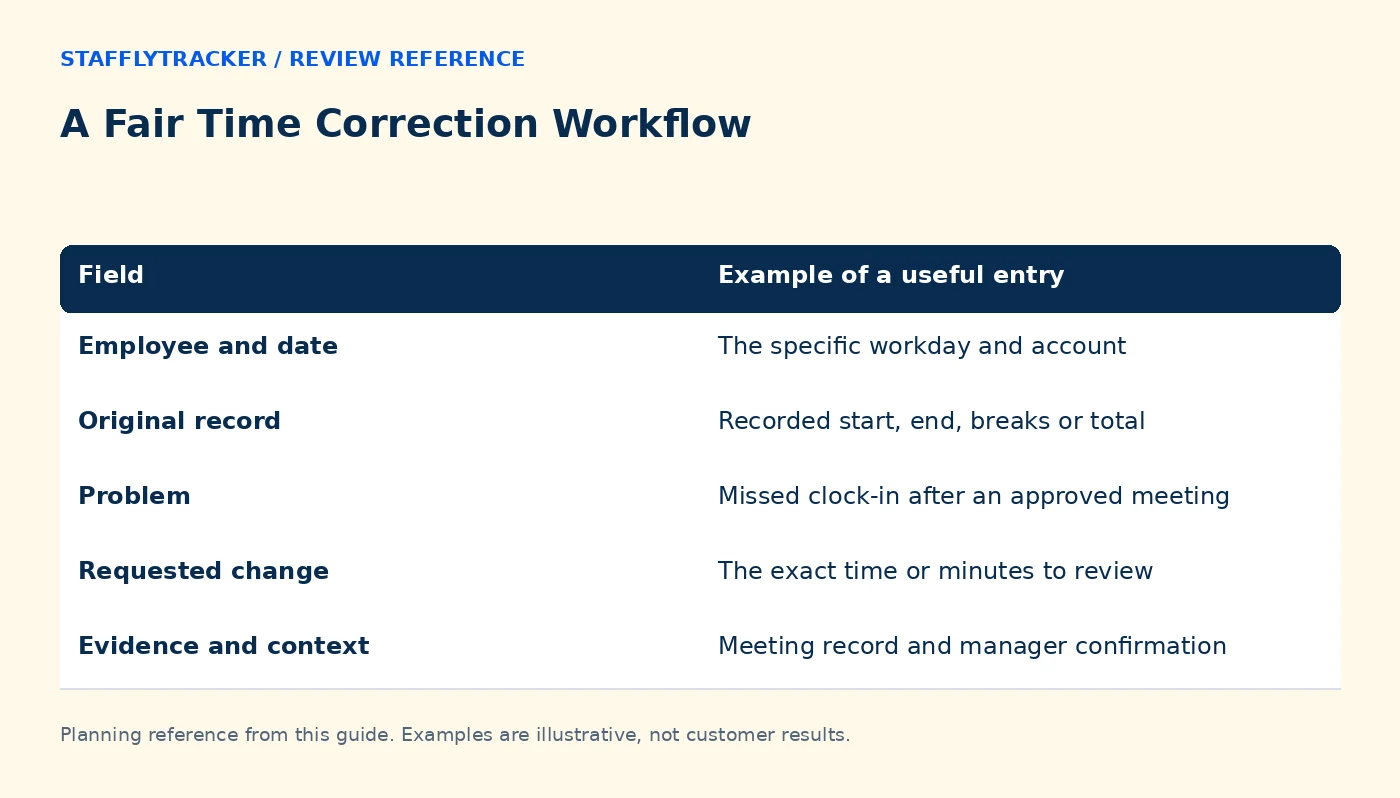
Use a clear request record
| Field | Example of a useful entry |
|---|---|
| Employee and date | The specific workday and account |
| Original record | Recorded start, end, breaks or total |
| Problem | Missed clock-in after an approved meeting |
| Requested change | The exact time or minutes to review |
| Evidence and context | Meeting record and manager confirmation |
| Decision | Approved, declined or more information needed |
| Reason and reviewer | A concise explanation and responsible person |
This is a recommended process record. Verify which fields and permissions are available in the current product and keep any additional documentation through your approved company process.
Review one interval at a time
A fictional employee's attendance already spans 09:00–18:00 with a one-hour break, producing eight work hours. Their tracker was offline from 14:00–14:20. If the employee worked during the gap, the attendance total may need no change; the monitoring gap needs an explanation.
In a different case, the session begins at 09:20 because the employee forgot to clock in after starting an approved task at 09:00. A reviewer may approve 20 minutes under company policy. The same length of gap leads to a different correction because the original record differs.
Write the logic so another reviewer can reproduce it. Avoid approving a rounded daily total without checking how it relates to the source record.
Keep the employee's explanation separate from evidence
Record what the employee reports, what independent records show and what the reviewer decides. A meeting invitation can support context but does not necessarily prove attendance at every minute. A screenshot can show a sampled screen but not all work performed.
The goal is a reasonable documented decision under company policy, not an impossible claim of perfect reconstruction. Where evidence is limited, state that limitation and follow the applicable approval process.
If a disagreement remains, provide a route for reconsideration rather than silently overwriting the disputed value.
Preserve the link to payroll
Before export, identify pending corrections and decide whether the period can be finalized. After export, a newly approved correction may require a payroll adjustment rather than merely regenerating a file without explanation.
Keep the export date, reporting period and correction reference together. A person reconciling the payroll later should be able to understand why the current attendance total differs from an earlier exported version.
StafflyTracker's payroll workflow concerns calculations and exports, not automatic salary transfers or tax filing. Review the payroll documentation and your company's payment process separately.
Review patterns without punishing honest reporting
Repeated corrections can indicate confusing clock-in instructions, unreliable startup behavior, a network issue or an individual process problem. Investigate the cause rather than assuming every request is abuse.
A useful monthly check asks which types of corrections recur and whether a training or technical change would prevent them. Do not discourage employees from reporting genuine errors merely to make the correction count look lower.
Common questions
Should a correction replace the original data?
A reviewable workflow keeps the original context and the reason for the adjustment. Confirm the current audit behavior before relying on it.
Does missing coverage always change payable hours?
No. Check whether those minutes are already included in attendance and apply company policy to the actual discrepancy.
Can employees edit their own records?
That depends on the supported permissions and company workflow. Do not promise self-service editing where it is unavailable. Ask to see the authorized correction path in the demo.
KEEP EXPLORING
Make the next decision clearer.
Overnight Shift Hours: A Worked Example Time Tracking for Engineering Teams Employee Time Tracking Buyer’s ChecklistSEE THE WORKFLOW
Bring your questions.
Try the actual interface.
Explore fictional records, then discuss the requirements that matter to your team. Email required; phone optional.
AI-assisted editorial content and original illustrations. Examples are illustrative, not customer results. Editorial policy · Current product availability · Read as Markdown