
PRACTICAL GUIDE · FIELD NOTES
Attendance Reconciliation Before Payroll
Reconcile attendance before payroll with a clear checklist for workdays, breaks, idle time, coverage gaps, approved corrections and export checks.
StafflyTracker editorial · Product by Syed Toheed Shah

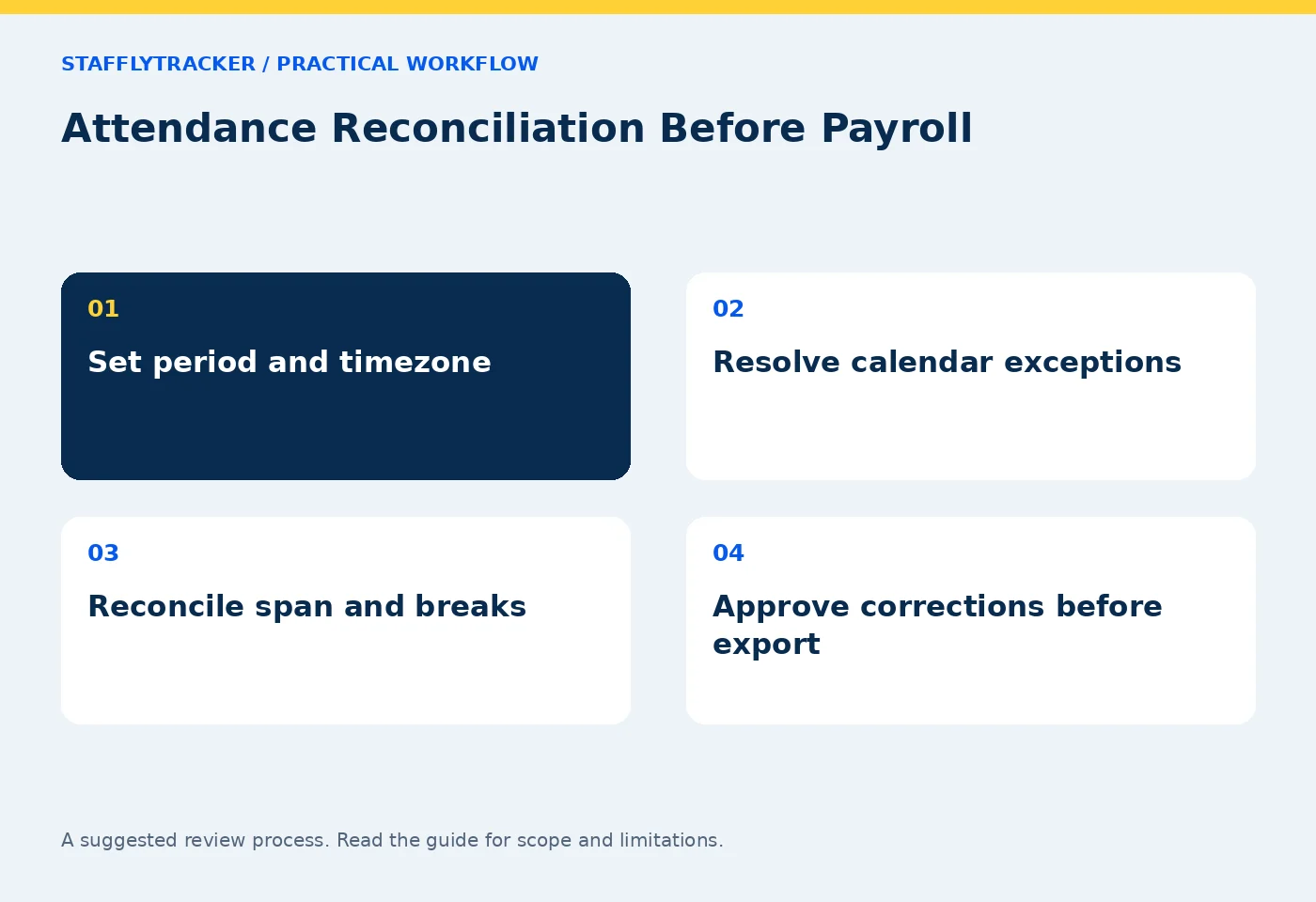
Attendance reconciliation is the process of checking recorded sessions against schedules, approved exceptions and corrections before a period is approved. The goal is an explainable record: every absence, break and adjustment should have a clear basis. It is not a process for turning an activity percentage directly into a pay deduction.
Establish the period and definitions
Write down the start date, end date, company workday and display timezone. A supervisor in one timezone and an employee in another may describe the same session using different dates. Reconcile the underlying interval before deciding that a clock event is missing.
Define the columns you will approve. Clock span is elapsed time between endpoints. Working time may exclude recorded breaks while still containing idle intervals. Coverage is the part supported by tracker records. These quantities are related, but they are not interchangeable. Use the time definitions guide before building spreadsheet formulas.
Check exceptions before absences
Review the working-day calendar, weekly off days, holidays and approved leave first. A person not expected to work should not be counted as an unexplained absence. Check whether an employee worked on an off day without assuming that the day should disappear from attendance.
Resolve joiners and leavers within the period. A person who was not yet employed for the whole month needs a different expected-day basis from a full-month employee. Confirm how your own records define that basis rather than inferring it from the first screenshot.
Use an exception ledger
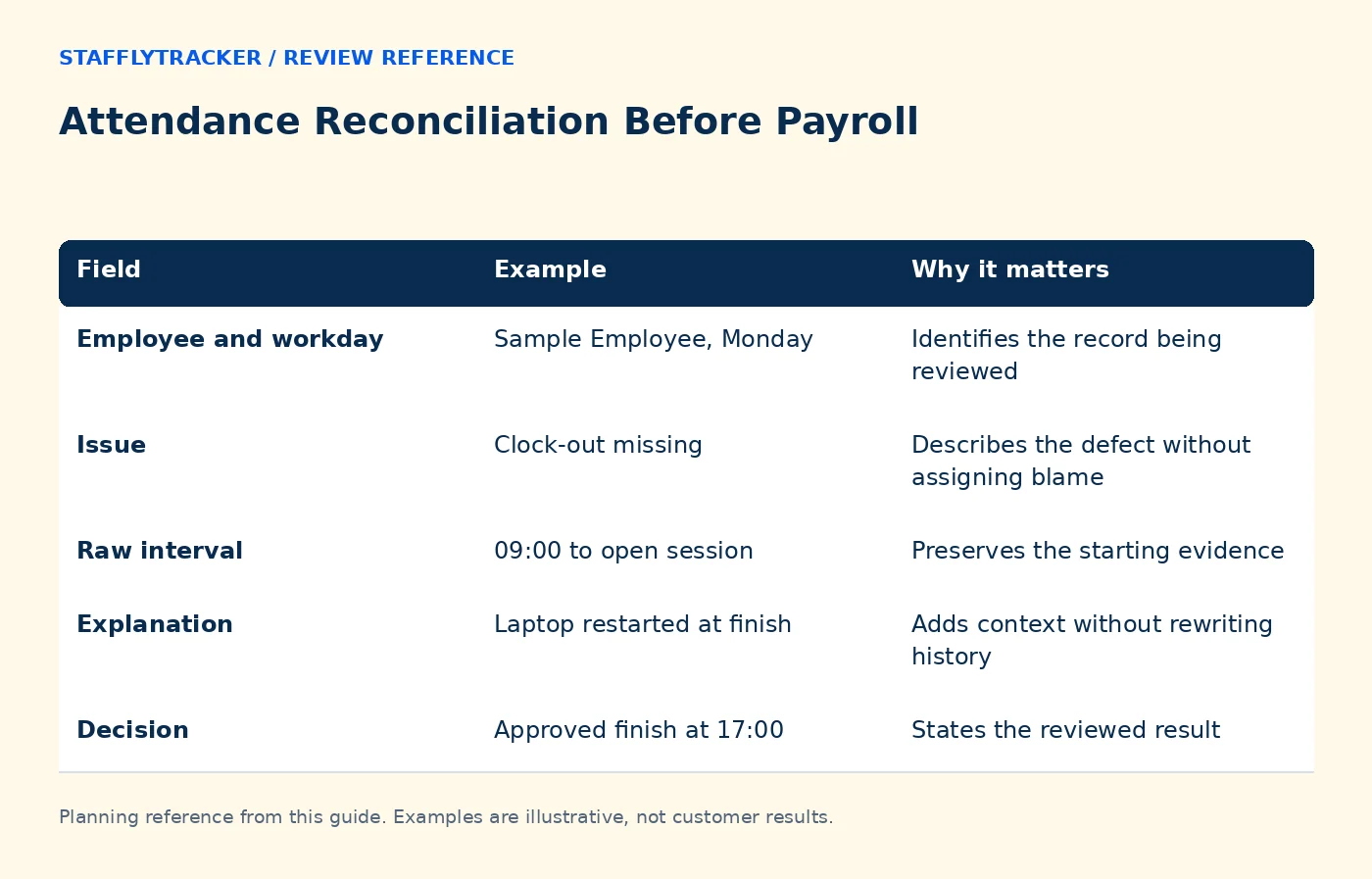
Keep one row per unresolved issue. The ledger can live in your existing spreadsheet or workflow; the table below is a suggested review template, not a claim of a separate StafflyTracker module.
| Field | Example | Why it matters |
|---|---|---|
| Employee and workday | Sample Employee, Monday | Identifies the record being reviewed |
| Issue | Clock-out missing | Describes the defect without assigning blame |
| Raw interval | 09:00 to open session | Preserves the starting evidence |
| Explanation | Laptop restarted at finish | Adds context without rewriting history |
| Decision | Approved finish at 17:00 | States the reviewed result |
| Reviewer and date | Supervisor, Tuesday | Makes the decision traceable |
Avoid notes such as 'fixed' with no explanation. A later reviewer needs to understand what changed and why.
Reconcile a sample day manually
Consider a fictional session from 09:00 to 18:00 with a one-hour break. The gross span is nine hours and time excluding that break is eight hours. If 45 minutes within those eight hours were marked idle, do not add those 45 minutes again to the nine-hour total.
If 20 minutes have no tracker coverage, keep that gap separate from confirmed idle evidence. It may need employee context or a technical investigation. Missing records are not automatically proof of inactivity. See data-quality checks.
Review corrections before approval
Check the original record, requested adjustment, reason and reviewer. Confirm that the correction affects the intended day and does not duplicate another interval. A correction can explain approved attendance; it cannot recreate screenshots or raw activity that were never captured.
Sample at least one overnight shift and one day with several breaks if your team uses those patterns. Look for overlapping intervals, wrong timezone interpretation and repeated spreadsheet imports. These are practical error sources that a headline monthly total can hide.
Freeze an explainable export
Once issues are resolved, export the approved period and record its generation date, timezone and approver. If a later correction changes the period, create a clearly identified replacement instead of circulating two files with the same name. Keep any payroll calculations separate from raw attendance evidence.
StafflyTracker provides attendance review and payroll calculation/export workflows. It does not transfer wages or file taxes. Apply your organization's pay policy and relevant requirements through the responsible payroll process.
A five-minute final review
Before signing off, ask: are all expected days accounted for; are leave and off days correct; can the largest corrections be explained; do overnight sessions reconcile; and can another reviewer reproduce the totals? If one answer is no, keep that item open rather than hiding it in the period total.
Use the fictional demo to practice locating records, and read the correction workflow before defining your approval process.
Frequently asked questions
Is idle time automatically unpaid?
No. A tracker classification does not decide pay policy. Review the work context and the applicable rules through your payroll process.
Does no screenshot mean absence?
No. Check attendance and connection records separately. A capture gap is an evidence gap, not a complete account of the employee's work.
What should be retained with the export?
Keep the period, timezone, approval date and reasons for material corrections in your normal authorized recordkeeping process.
KEEP EXPLORING
Make the next decision clearer.
Idle Time vs Break Time: What to Count App Time Budgets Without Blanket Bans Employee Time Tracking Buyer’s ChecklistSEE THE WORKFLOW
Bring your questions.
Try the actual interface.
Explore fictional records, then discuss the requirements that matter to your team. Email required; phone optional.
AI-assisted editorial content and original illustrations. Examples are illustrative, not customer results. Editorial policy · Current product availability · Read as Markdown