
PRACTICAL GUIDE · FIELD NOTES
Check Time Tracking Data Quality
Check time tracking data quality before payroll or performance decisions. Review coverage, timestamps, overlaps, identity and metric definitions.
StafflyTracker editorial · Product by Syed Toheed Shah

Time tracking data quality means the records are complete enough, internally consistent and correctly interpreted for the decision being made. A dashboard can look precise while still containing gaps, stale device information or mismatched time boundaries.
Check quality before using a number for payroll or performance review. The goal is not to force every day into a perfect-looking score. It is to identify what is known, what is missing and which exceptions require a documented decision.
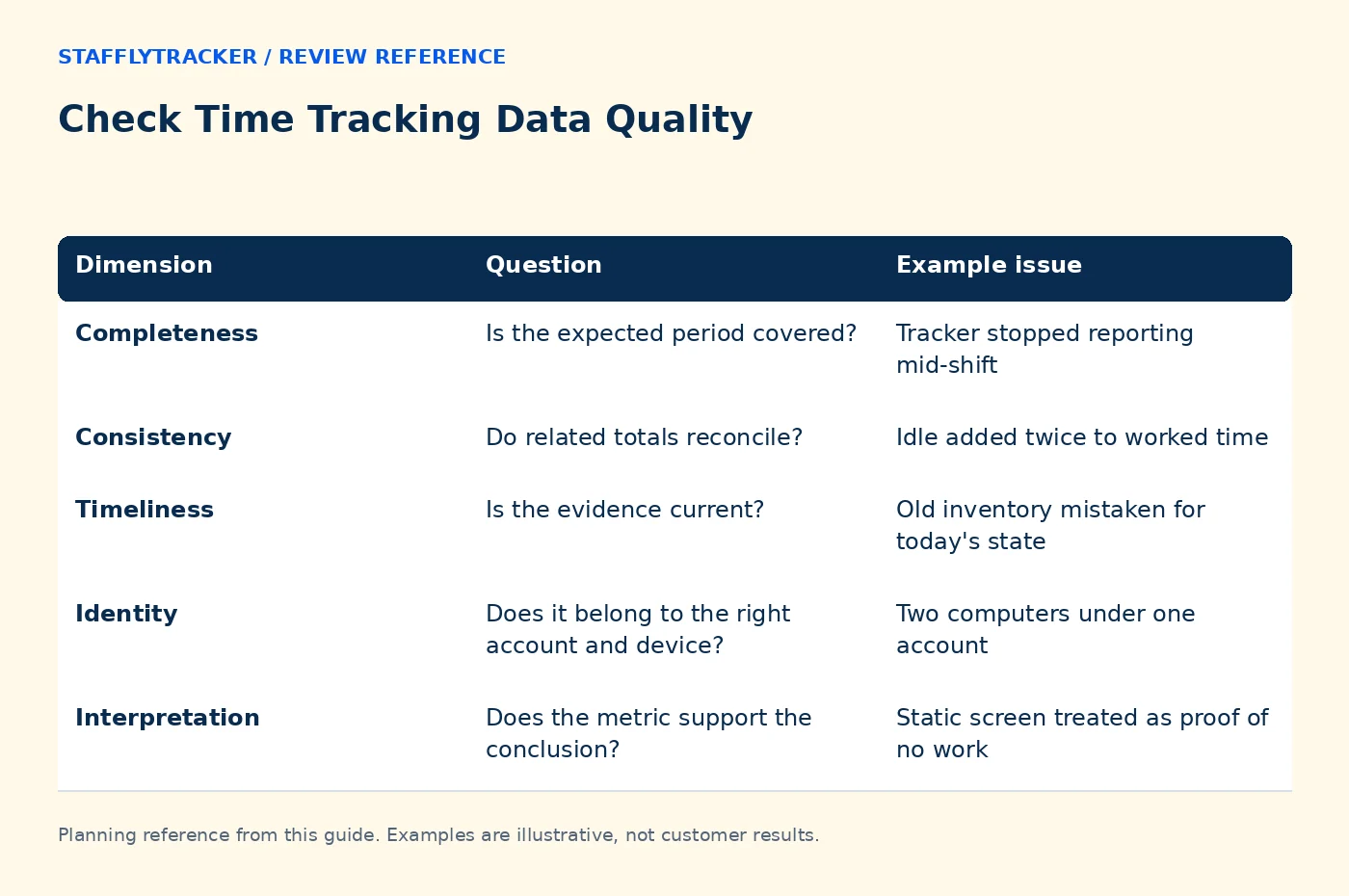
Check five dimensions
| Dimension | Question | Example issue |
|---|---|---|
| Completeness | Is the expected period covered? | Tracker stopped reporting mid-shift |
| Consistency | Do related totals reconcile? | Idle added twice to worked time |
| Timeliness | Is the evidence current? | Old inventory mistaken for today's state |
| Identity | Does it belong to the right account and device? | Two computers under one account |
| Interpretation | Does the metric support the conclusion? | Static screen treated as proof of no work |
A problem in one dimension does not automatically invalidate every record. Identify the affected period and decision so the response stays proportionate.
Reconcile time quantities first
Start with the full attendance span and approved breaks. Then distinguish worked duration, monitored coverage, idle within coverage and unmonitored time. These quantities may overlap; they are not always values to add together.
For a fictional eight-hour worked interval with 30 minutes of idle and 20 minutes of missing coverage, the attendance total is still eight hours unless an approved correction changes it. The coverage gap should remain visible as unknown evidence. It should not silently become active time or measured idle.
Read the idle-versus-break explanation before designing a spreadsheet formula around dashboard labels.
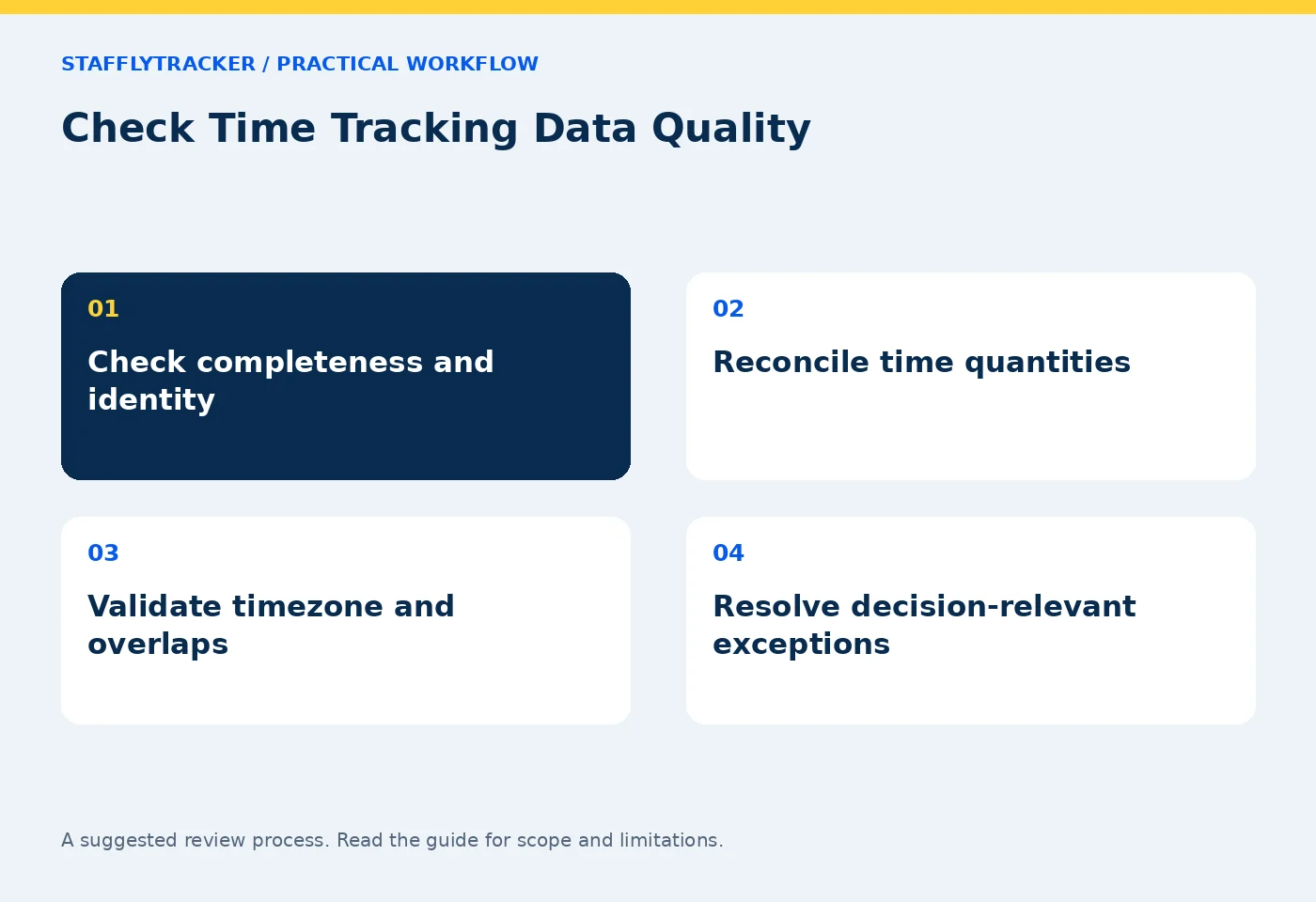
Check timestamps in one frame of reference
Write down the display timezone and workday boundary. Compare a known event, such as a test clock-in, across the application and export. A timezone offset can make correct records look several hours late.
For overnight work, include the end date as well as the start date. If a report groups by a company workday, do not compare it blindly with a calendar-day screenshot view. The overnight example shows the arithmetic explicitly.
When device clock problems are suspected, distinguish device-reported times from server receipt times if those are available through the support process. Do not “repair” historical data by applying an offset without validating the cause.
Look for duplicates and overlaps
Repeated requests, restarts or multiple devices can create confusing evidence. Check whether apparent duplicate entries are actually separate samples, repeated display labels or overlapping records.
For duration calculations, overlapping intervals should not be counted twice. For screenshots, two nearby timestamps may represent distinct captures or a presentation issue. Investigate the source before deleting records or changing payroll totals.
Keep the original evidence and document any correction. A clean-looking report produced by silently discarding uncertain data is not necessarily a more accurate report.
Test the meaning of a percentage
Ask for the numerator, denominator and treatment of missing data. Does the percentage describe input activity, categorized application time or another measure? A label such as “performance” can sound broader than the underlying calculation.
Compare like with like: similar job context, adequate coverage and the same rule configuration. Calls, reading and offline tasks can produce low input activity without establishing poor output. Repetitive input can produce high activity without establishing useful work.
Use context before productivity scores as a review sequence, especially when a result will affect an employee.
Keep a small exception ledger
Record the affected person and period, the issue, its likely impact, the evidence checked and the owner of the next step. Label unresolved items clearly. This is more useful than maintaining a vague list of “bad data.”
Before payroll, separate exceptions that change payable time from those that only affect monitoring interpretation. Use the correction workflow for approved adjustments and preserve the relationship to the exported period.
Common questions
Does a large screenshot count prove complete coverage?
No. Samples can be concentrated in part of a day, and counts do not directly measure attendance or work quality.
Should missing data be scored as zero?
Do not assume that unknown evidence means measured inactivity. Explain the gap and apply the appropriate review policy.
How can we test quality before deployment?
Use a pilot with known start, break and end times, a controlled interruption and an export reconciliation. Ask to inspect both normal and exceptional cases in the demo.
KEEP EXPLORING
Make the next decision clearer.
How to Compare Time Tracking Demos Time Tracking for Architecture Studios Employee Time Tracking Buyer’s ChecklistSEE THE WORKFLOW
Bring your questions.
Try the actual interface.
Explore fictional records, then discuss the requirements that matter to your team. Email required; phone optional.
AI-assisted editorial content and original illustrations. Examples are illustrative, not customer results. Editorial policy · Current product availability · Read as Markdown