
PRACTICAL GUIDE · FIELD NOTES
Idle Time vs Break Time: What to Count
Understand idle time versus break time with a worked example. Avoid double-counting attendance and keep missing tracker coverage separate.
StafflyTracker editorial · Product by Syed Toheed Shah

Idle time and break time describe different things. A break is a recorded work-state interval. Idle time is a measure derived from limited computer input under the tracker's rules. A person can read or make a call with little input, so idle evidence does not automatically mean a break or establish whether time is payable.
Define the quantities before calculating
Use four separate labels: gross clock span, recorded breaks, working time and tracker coverage. Gross span is the elapsed interval between clock-in and clock-out. Working time commonly subtracts breaks from that span. Coverage describes where tracker records support an interpretation of the day.
The exact definition in your report matters more than the label you expect. Read the report documentation and manually reconcile a sample. If working time includes idle intervals, adding idle again double-counts part of the day. If a metric excludes idle, describe it as such rather than presenting it as total attendance.
A worked nine-hour day
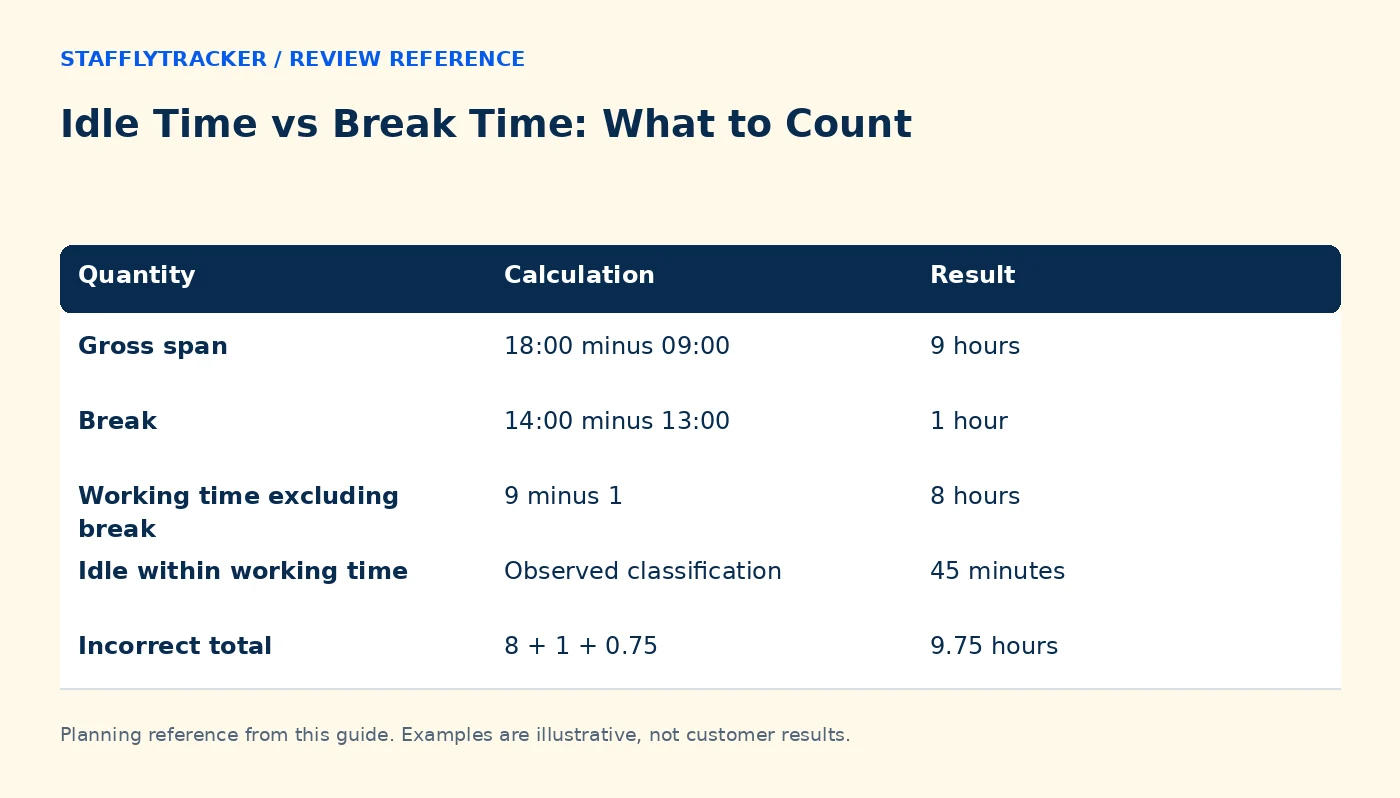
A fictional employee clocks in at 09:00 and out at 18:00. The recorded break runs from 13:00 to 14:00. The gross span is nine hours. Time excluding the break is eight hours. Within those eight hours, 45 minutes are classified idle.
| Quantity | Calculation | Result |
|---|---|---|
| Gross span | 18:00 minus 09:00 | 9 hours |
| Break | 14:00 minus 13:00 | 1 hour |
| Working time excluding break | 9 minus 1 | 8 hours |
| Idle within working time | Observed classification | 45 minutes |
| Incorrect total | 8 + 1 + 0.75 | 9.75 hours |
The incorrect formula invents 45 minutes because that interval was already inside working time. The correct gross reconstruction is eight hours plus one hour of breaks, subject to the report's actual definitions.
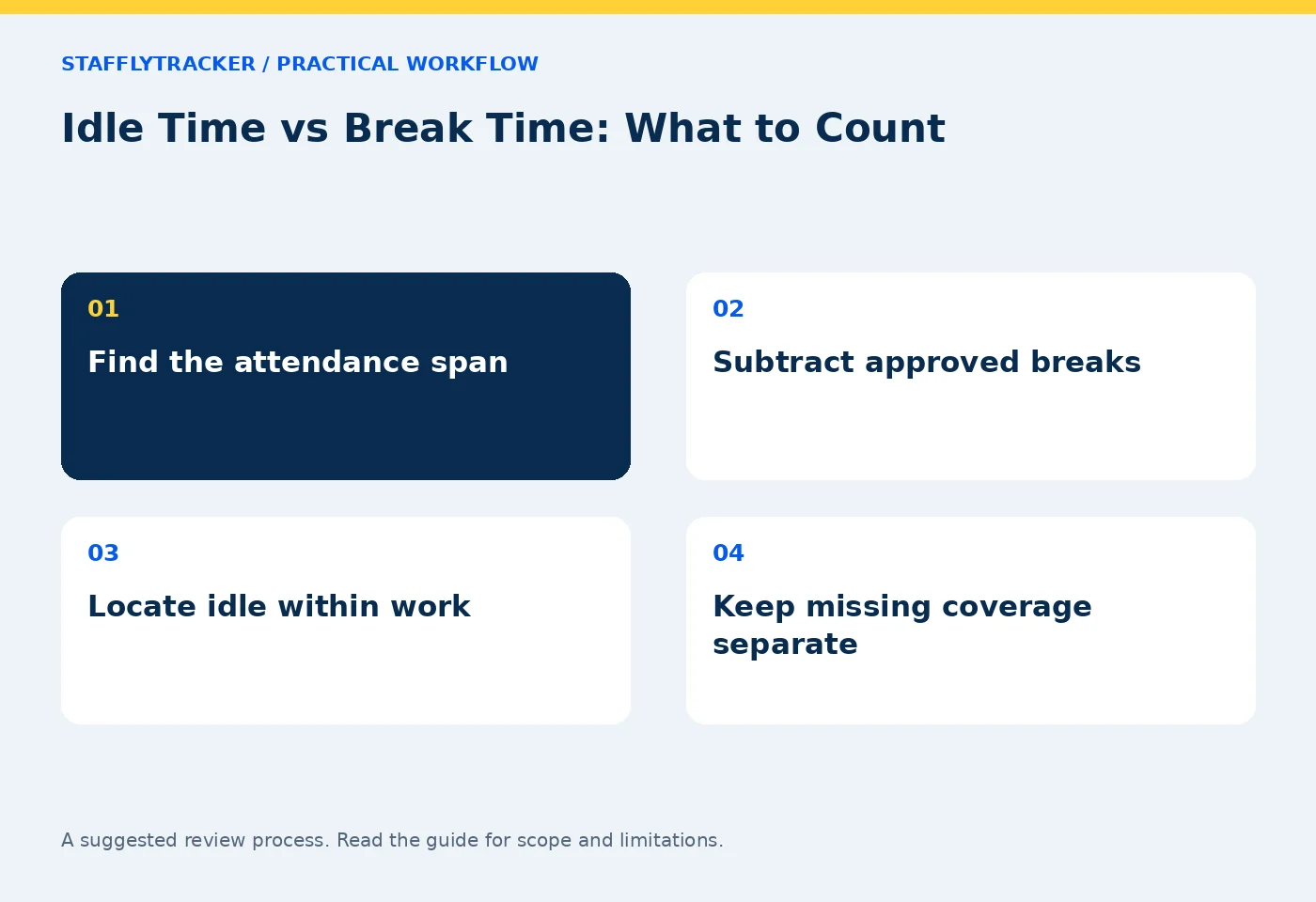
Missing coverage is a third category
Suppose the network fails from 15:00 to 15:20. If records do not arrive for that interval, describe the coverage gap separately. Do not assume the entire gap was active or idle. The session may remain open while the recording connection is unavailable.
Coverage, breaks and idle should be compared as intervals, not merely totals. Two overlapping idle events should not be counted twice. A break outside a session should not reduce an unrelated workday. Administrators need a review process for these issues even when the software performs the arithmetic.
Calls and reading create legitimate quiet periods
A phone call, document review or paper-based task may require little mouse movement. Check what work was expected before interpreting an idle classification. StafflyTracker does not claim automatic recognition of every call or meeting platform.
For a call-heavy role, pilot the actual application and compare the resulting record with a known call interval. Use the call-work guide to agree how the team will explain these periods. Changing a category label alone may not change the underlying idle calculation.
Breaks should have a clear operational meaning
Explain when employees should use the break control and what to do if they forget. Record an approved correction with a reason rather than treating a long quiet interval as an automatically declared break. A system-inferred state and an employee-recorded action are different kinds of evidence.
Review several short breaks as well as one long break. Check that they do not overlap and that the export reflects the same workday convention as the dashboard. Overnight shifts need extra care because displayed calendar dates may change during the session.
How to explain the report to a manager
Use a simple sentence: 'This is the clocked span, these are recorded breaks, this is the time remaining, and this portion has limited or missing activity evidence.' That explanation is more useful than saying a person was a particular percentage productive without defining the denominator.
Keep outcome measures separate. Completed cases, accurate work and customer responses are not directly calculated from input activity. See context before scores and attendance reconciliation.
Frequently asked questions
Should I add worked time, breaks and idle together?
Only if the report explicitly defines all three as non-overlapping quantities. In the common definition where working time includes idle, add working time and breaks to reconstruct gross span; do not add idle again.
Is an idle interval the same as a break?
No. It is a computer-input classification and can include legitimate work with limited input.
Can an attendance correction recover missing screenshots?
No. It records an approved adjustment and explanation. Missing raw captures remain missing.
Explore the demo and attendance documentation to compare these definitions with the interface.
KEEP EXPLORING
Make the next decision clearer.
Time Tracking for Call-Heavy Work A Software Inventory Review Checklist Employee Time Tracking Buyer’s ChecklistSEE THE WORKFLOW
Bring your questions.
Try the actual interface.
Explore fictional records, then discuss the requirements that matter to your team. Email required; phone optional.
AI-assisted editorial content and original illustrations. Examples are illustrative, not customer results. Editorial policy · Current product availability · Read as Markdown